
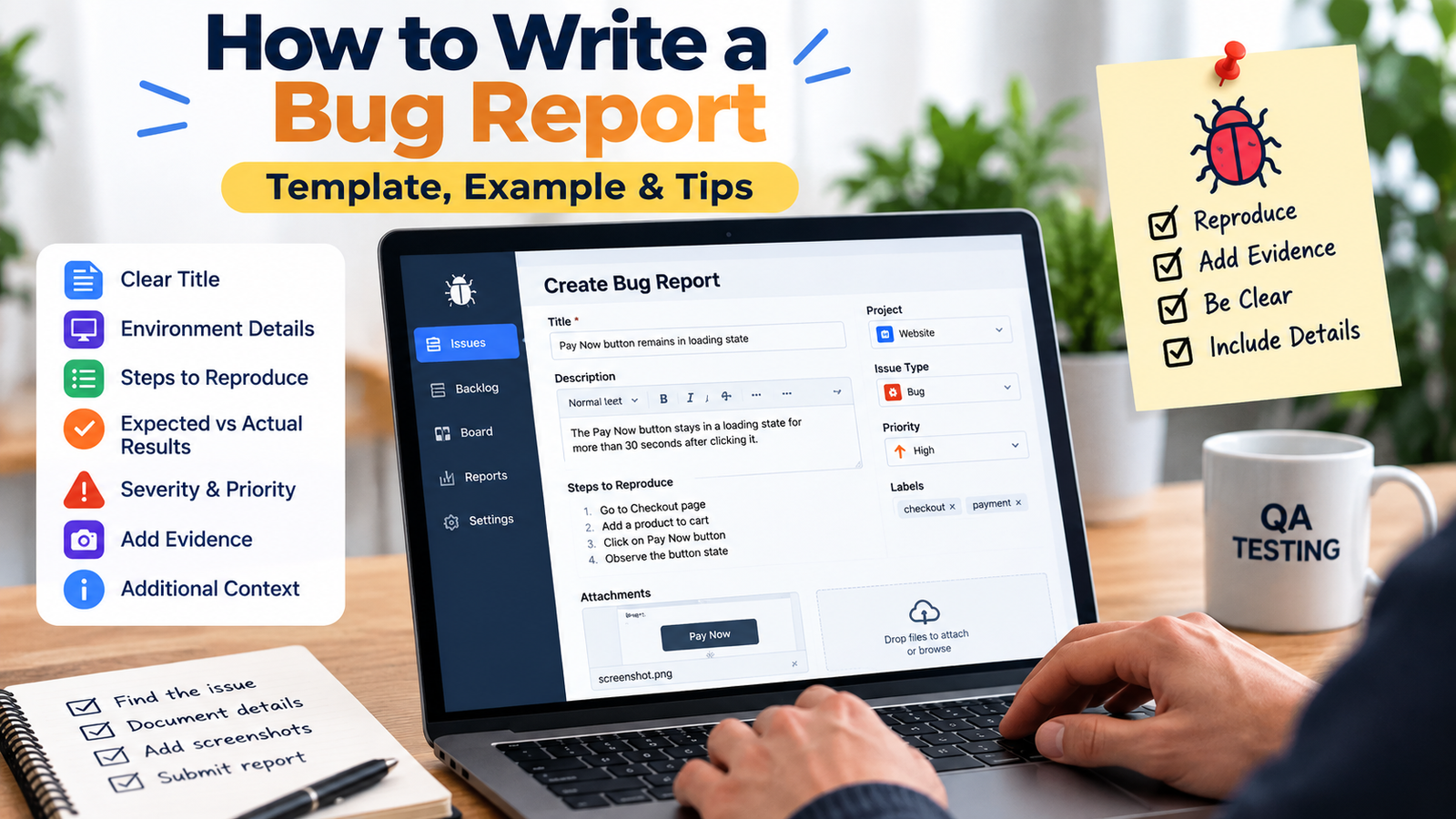
Knowing how to write a bug report that developers can actually act on is one of the most underrated QA skills. Take an example like “Checkout is not working.” Technically, that reports a problem. Practically, it leaves almost every important question unanswered.
Which checkout flow? Which build? What browser or device? What actions caused the problem? What happened after clicking the button? What was supposed to happen instead?
A useful bug report gives another team member enough information to understand, reproduce and investigate the issue without immediately asking for basic missing details.
This guide shows how to turn a vague defect into a developer-ready bug report using clear reproduction steps, expected and actual results, environment details, appropriate evidence, and a reusable template.
If you are learning how to write a bug report for the first time, start with the information another tester or developer would need to reproduce the issue.
What Is a Bug Report?
A bug report is a structured record of a problem found in software. It normally explains what went wrong, where the issue occurred, the conditions required to reproduce it, the actions that trigger it, what should have happened, what actually happened, and any useful evidence.
A bug report should describe observed behavior clearly. If you’re starting out in QA, our software testing career guide explains how defect reporting fits into a beginner’s learning path. It does not need to guess the technical root cause.
For example, “The Pay Now button remains in a loading state for more than 30 seconds” is an observation. “The payment API is broken” is a root-cause assumption unless logs or investigation actually prove it.
What Should a Good Bug Report Include?
| Field | Purpose |
| Title | Summarizes the problem clearly |
| Environment | Shows where it occurred |
| Preconditions | Defines the required starting state |
| Steps to Reproduce | Explains how to trigger the issue |
| Expected Result | States what should happen |
| Actual Result | States what actually happened |
| Reproduction Rate | Shows how consistently it occurs |
| Severity | Describes impact |
| Priority | Describes urgency if your team uses it |
| Evidence | Screenshots, video, logs, or request/response data |
| Additional Context | Relevant safe IDs, timestamps, or notes |
Not every company uses exactly the same fields. Atlassian’s current bug-report guidance highlights environment, reproduction steps, severity, and expected versus actual results, but Jira projects can be configured differently. The goal is complete, relevant information rather than one universal form.
How to Write a Bug Report: Creating a Clear Bug Title
The title is often the first thing a developer, product manager, or another tester sees. Avoid titles such as “Login broken” or “Checkout issue.” They identify an area but not the actual failure.
A useful pattern is: Feature or area + problem + important condition.
For example: “Login – valid user remains on sign-in page after selecting Sign In.” If the defect is browser-specific, “Login – valid user remains on sign-in page after Sign In on Chrome 141” adds useful context.
Do not force every environment detail into the title. Keep it specific enough to identify the behavior and put the full setup in the environment field.
Add the Correct Environment Details
Environment information matters because some defects reproduce only on a particular build, browser, device, account state, or deployment environment.
Web Application
- staging, test, or production environment
- application build or version
- browser and browser version
- operating system
- screen size or resolution when relevant
Example: Staging | Build 4.6.2 | Chrome 141 | Windows 11.
Mobile Application
- app version and build
- device model
- Android or iOS version
- network type when relevant
- orientation when relevant
Example: App 5.2.1 (Build 410) | iPhone 15 Pro | iOS 18.6 | Wi-Fi.
API Issue
- endpoint and HTTP method
- test environment
- request body or parameters
- response body and status code
- relevant safe IDs or timestamps
- useful logs
Never paste passwords, access tokens, private customer data, or unnecessary secrets into a ticket or attachment.
Write Preconditions Before the Steps
Preconditions define the required starting state before the tester begins the reproduction sequence.
- user is already logged in
- cart contains one available product
- account has a Premium subscription
- feature flag is enabled
- specific test record already exists
Without preconditions, another person may follow the written steps correctly but begin from a different state and fail to reproduce the defect.
Write Clear Steps to Reproduce
Steps should describe the shortest reliable sequence that triggers the bug. Use one action per step, exact labels, relevant test data, a clear starting point, and the correct order.
Weak Example
- Open checkout.
- Enter information.
- Pay.
- It does not work.
Better Example
- Sign in using a valid customer account.
- Add Product A to the cart.
- Open Checkout.
- Select Credit Card.
- Enter a valid test Visa card.
- Select Pay Now.
The failure itself should normally be described under Actual Result rather than being written as another reproduction step.
Expected Result vs Actual Result
Expected Result
Describe what should happen according to the requirement, acceptance criteria, approved design, or established product behavior.
Example: “Payment completes successfully and the Order Confirmation page displays the new order number.”
Actual Result
Describe exactly what you observed.
Example: “The Pay Now button remains in a loading state for more than 30 seconds and the Order Confirmation page does not appear.”
Keep the actual result factual. Do not turn an observation into a root-cause claim unless the evidence supports it.
Add the Reproduction Rate
Not every defect happens every time. Record frequency when it adds useful context, for example “5/5 – always reproducible” or “3/10 – intermittent.”
When testing an intermittent defect, keep the conditions as consistent as possible while repeating the test. Frequency helps engineering understand whether the behavior is deterministic or occasional.
Severity vs Priority
What Is Severity?
Severity describes how strongly the defect affects the product, system, or user. A crash, blocked checkout, incorrect calculation, and cosmetic alignment issue have very different impacts.
Do not assume every organization uses the same Critical, High, Medium, and Low definitions. Follow the severity model agreed by your team.
What Is Priority?
Priority describes how urgently the issue should be addressed relative to other work. It can depend on customer impact, release timing, number of affected users, business value, and available workarounds.
For example, a typo may have low technical severity but high business priority when it appears prominently on a campaign page launching today.
When a Low-Severity Bug Became High Priority
A clear example of this difference came up during a campaign launch. A promotional banner on the homepage was showing an incorrect discount percentage, the text simply didn’t match the actual offer. From a purely technical standpoint, this was a minor issue: it was a static content/config problem, it did not break checkout, payment, or any core functionality, and the fix itself took only a few minutes. Under our severity model, we logged it as Low severity.
However, the banner was already live across email and social media as part of a paid campaign, and customers had started messaging support about the mismatched discount. Because incorrect, customer-facing pricing could damage trust and raise compliance concerns around advertised offers, the business marked it as High priority. The team paused other lower-priority tickets in progress, fixed and deployed the banner text within the hour, and verified it directly on production.
Attach the Right Evidence
| Problem Type | Useful Evidence |
| UI or layout problem | Screenshot |
| Multi-step interaction | Screen recording |
| Browser error | Console output |
| API failure | Request and response |
| Application crash | Logs or stack trace |
| Intermittent issue | Recording plus reproduction rate |
| Data issue | Relevant safe record or ID |
Use evidence that helps someone understand or investigate the problem. A screenshot is useful for a visual issue, but it cannot replace reproduction steps for a workflow defect. A screen recording may communicate a multi-step interaction more clearly than several screenshots.
Bug Report Template
This bug report template gives you a practical starting point for how to write a bug report that is clear, reproducible, and easy for developers to investigate.
- Title: [Feature/Area] – [Problem] – [Important condition if relevant]
- Environment: Environment / Build / Browser or Device / OS
- Preconditions: Required starting state
- Steps to Reproduce: Numbered action sequence
- Expected Result: What should happen
- Actual Result: What actually happens
- Reproduction Rate: Example 5/5
- Severity: According to team definitions
- Priority: If required by your workflow
- Attachments/Evidence: Screenshot / video / logs / request-response
- Additional Notes: Relevant safe IDs, timestamps, or observations
This is a reusable starting point, not a universal standard. Adapt the fields to your team’s workflow and product.
Complete Bug Report Example
Here is an example of how to write a bug report by turning the vague statement “Checkout is not working” into a clear, reproducible issue.
- Title: Checkout – Pay Now remains loading after valid card submission
- Environment: Staging | Build 4.6.2 | Chrome 141 | Windows 11
- Preconditions: Customer is logged in; cart contains one available product; valid test Visa card is available.
- Steps: Open the cart; select Proceed to Checkout; enter a valid delivery address; select Credit Card; enter valid test-card details; select Pay Now.
- Expected Result: Payment succeeds and the user is redirected to the Order Confirmation page with an order number.
- Actual Result: The Pay Now button remains in a loading state for more than 30 seconds. No confirmation page appears.
- Reproduction Rate: 5/5 attempts.
- Severity: High according to the team’s current severity model because checkout cannot be completed through this flow.
- Evidence: Screen recording, browser console output, and test timestamp.
- Additional Notes: The same account completed checkout using the alternative payment method.
This version gives engineering a reproducible path and useful evidence without pretending to know the root cause.
Bad Bug Report vs Good Bug Report
Bad: “Checkout is not working. Please fix ASAP.”
That report has no environment, reproduction steps, expected behavior, actual behavior, evidence, or explanation for the urgency.
Good: “Checkout – Pay Now remains loading after valid Visa submission on staging Build 4.6.2,” followed by the full environment, preconditions, steps, expected result, actual result, frequency, and evidence.
The difference is not length. The better report is scoped, reproducible, objective, and evidence-based.
How to Report an Intermittent Bug
Intermittent defects require more observation. Instead of writing “Sometimes checkout fails,” record what you actually know, such as “Reproduced 3/10 attempts on Build 4.6.2 using Chrome 141 and the same test account.”
- record useful timestamps
- compare successful and failed attempts
- keep browser, device, build, and account state consistent
- note network conditions if they may be relevant
- capture logs or recording when useful
Look for differences, but do not invent a pattern that the evidence does not support.
What If the Developer Cannot Reproduce the Bug?
A cannot-reproduce response should trigger investigation rather than an argument.
- same environment?
- same application build?
- same account permissions?
- same test data?
- same browser or device?
- same feature flags?
- same network conditions?
- same starting state and action sequence?
State, cache, permissions, and test data can all change the outcome. If you discover a missing condition, update the ticket so the next person does not need to rediscover it.
Keep the Bug Report Updated During Investigation
Bug reports often evolve after they are filed. If you discover a more reliable reproduction path, a new affected build, a workaround, or evidence that changes the scope, update the existing ticket instead of leaving the important detail only in chat. Record what changed and, when useful, add a timestamp or short note so reviewers can distinguish the original report from later findings.
If a developer fixes the issue, retest the exact reported scenario first, then check nearby cases that could be affected by the same change. Record the build you verified and the result. If the reported behavior still occurs, reopen or return the issue according to your team workflow and add the new evidence. A bug report should remain a useful source of truth throughout investigation and verification, not only at the moment it is created.
Check for Duplicates Before Filing
- reproduce the problem again
- search existing open and recently closed tickets
- confirm the build and environment
- reduce the reproduction path to the smallest reliable sequence
- gather useful evidence
- remove irrelevant information
Checking existing reports reduces fragmented investigation and helps the team add new evidence to the correct issue when the problem is already known.
Should Multiple Bugs Go in One Ticket?
Unrelated defects should usually be separated. Different issues may have different owners, fixes, priorities, verification steps, and closure dates.
This is not an absolute rule. If several symptoms clearly belong to one reproducible behavior, one report may sometimes communicate the problem more accurately.
How to Write a Bug Report in Jira
The same reporting principles apply in Jira. To understand how Jira compares with other bug-tracking and test-management platforms, explore our guide to software testing tools. A typical mapping is Summary for the title; Description for preconditions, steps, expected result, and actual result; Environment for relevant setup; Priority according to team process; and Attachments for supporting evidence. You can also refer to the official Jira documentation for details about creating and managing issues.
Jira projects can be configured with different issue fields and workflows, so focus on information quality rather than memorizing one screen layout.
Common Bug Reporting Mistakes
- Vague titles such as “Page broken.”
- Missing environment information for browser, device, or build-specific defects.
- Mixing expected and actual behavior in one unclear paragraph.
- Guessing the technical root cause instead of reporting verified observations.
- Attaching a screenshot without reproduction steps for a workflow defect.
- Reporting several unrelated problems in one ticket.
- Marking every defect Critical instead of following the agreed impact model.
- Including passwords, tokens, or unnecessary private user information.
When reporting security-related issues, follow established security-reporting practices and avoid exposing sensitive information in tickets. The OWASP Web Security Testing Guide provides broader guidance for testing web application security.
Bug Report Pre-Submission Checklist
- specific title
- correct environment and build
- required preconditions
- minimal, reliable reproduction steps
- clear expected result
- factual actual result
- reproduction rate when relevant
- justified severity
- useful evidence
- sensitive data removed
- duplicate search completed
- unrelated defects separated
Frequently Asked Questions
What are the most important parts of a bug report?
A clear title, environment, preconditions, reproduction steps, expected result, actual result, and relevant evidence form a strong core. Add frequency, severity, and other fields when they help your workflow. These elements form the foundation of how to write a bug report that another person can understand and reproduce.
How long should a bug report be?
As short as possible while still giving enough information to reproduce and understand the problem. Completeness is more important than word count.
What is the difference between severity and priority?
Severity describes impact. Priority describes urgency relative to other work. Teams may assign these differently, so use your organization’s definitions.
Should every bug include a screenshot?
No. Use the evidence that fits the defect. A screenshot works well for visual problems, while video, logs, console output, or API request and response data may be more useful in other cases.
What should I do with an intermittent bug?
Record how often it occurs, keep important conditions consistent, capture timestamps, compare successful and failed attempts, and attach useful evidence.
Can I report multiple bugs in one Jira ticket?
Usually separate unrelated defects so they can be assigned, prioritized, fixed, and verified independently. Keep symptoms together when they clearly belong to one underlying reproducible behavior.
Final Takeaway
Knowing how to write a bug report means giving another team member enough information to understand what happened, where it happened, how to reproduce it, what should have happened instead, and what evidence is available.
The goal is not to make the report long. The goal is to remove ambiguity. A concise report with the correct environment, reproducible steps, clear expected and actual results, and relevant evidence is far more useful than a long ticket filled with assumptions and unrelated details.
