
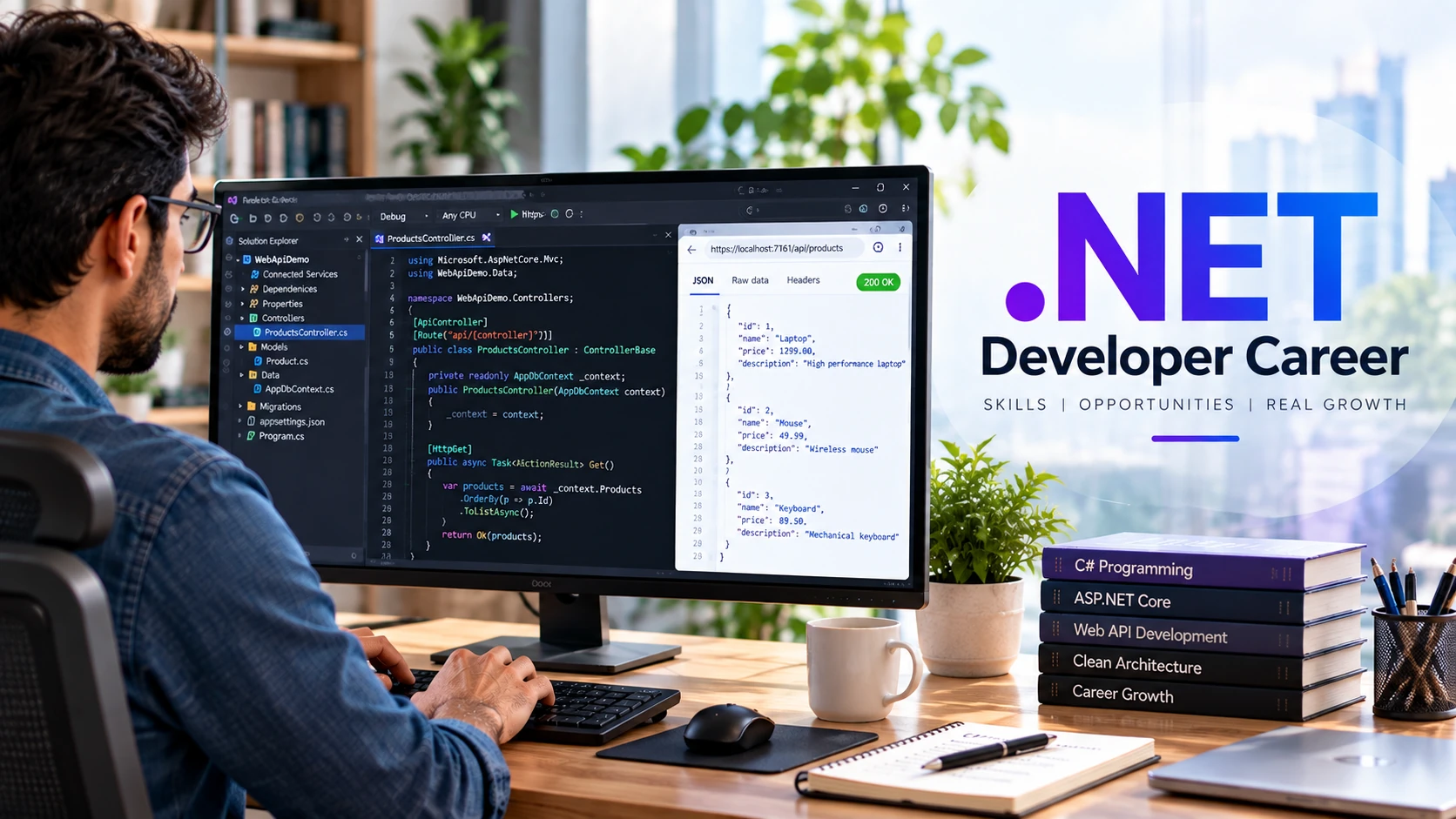
A .NET developer career can lead to backend, web API, cloud, enterprise, desktop, and full-stack work. But learning .NET is not simply a matter of memorizing C# syntax or following one ASP.NET tutorial. Employers typically need developers who can understand application behavior across code, HTTP, databases, testing, version control, deployment, and production troubleshooting.
This guide gives beginners a practical .NET developer career path. It starts with C# and the modern .NET platform, moves through ASP.NET Core, SQL and Entity Framework Core, then adds testing, Git, security, deployment, and portfolio evidence.
The goal is not to promise a job within a fixed number of months. It is to show what you should be able to build and explain before targeting junior .NET roles.
What Is .NET?
.NET is Microsoft’s free, open-source, cross-platform development platform. Modern .NET runs on Windows, Linux, and macOS and supports several application types, including web applications and APIs, cloud services, desktop applications, and other workloads.
C# is the language most closely associated with .NET application development. Depending on the role, a .NET developer may also work with SQL, HTML/CSS/JavaScript, cloud services, containers, CI/CD systems, messaging, or frontend frameworks.
Do not confuse modern .NET with the older Windows-only .NET Framework. Existing organizations may still maintain .NET Framework applications, while new development commonly targets supported modern .NET releases.
Is .NET a Good Career Path?
It can be a strong path if the jobs and products in your target market use C# and .NET. The ecosystem is actively maintained by Microsoft and the open-source community, but broad claims such as ‘.NET developers are always in high demand’ or ‘demand will only grow’ are not reliable for every country, seniority level, or economic cycle.
Current search behavior shows substantial job intent around .NET developer roles, but search volume is not the same as labor demand. Before committing to a career path, inspect current vacancies in your target location and note recurring requirements, industries, seniority expectations, and technology versions.
For version planning, Microsoft currently lists .NET 10 as a Long Term Support release, supported through November 2028. .NET follows a defined support policy, so developers should learn to check supported versions rather than treating one version number as permanent.
What Does a .NET Developer Do?
Responsibilities vary by team, but a .NET developer may:
- Design and implement web APIs, backend services, or server-rendered web features.
- Write and maintain C# application code.
- Model relational data and write or review SQL queries.
- Use Entity Framework Core or another data-access approach.
- Validate requests and implement authentication and authorization.
- Write automated tests and investigate defects.
- Review code and collaborate through Git-based workflows.
- Configure applications for development, staging, and production environments.
- Work with cloud services, containers, queues, caching, logging, and monitoring when the system requires them.
- Collaborate with frontend developers, QA, product teams, DevOps engineers, and other stakeholders.
.NET Developer Roadmap for Beginners
Step 1 — Learn C# Fundamentals
C# is the foundation. Learn variables, types, conditions, loops, methods, collections, exceptions, classes, interfaces, inheritance, composition, generics, nullable reference types, LINQ, and asynchronous programming with async/await.
Do not rush into ASP.NET Core while basic C# errors still stop you. Build small console programs that read data, transform collections, validate input, and handle failures.
Microsoft’s C# learning path provides a free official starting point.
Step 2 — Understand Modern .NET and Tooling
Install a supported .NET SDK and learn the dotnet CLI. Understand solutions, projects, NuGet packages, configuration, dependency injection, build output, and the difference between SDK and runtime.
dotnet –info
dotnet new console -n FirstApp
cd FirstApp
dotnet run
Learn enough tooling to diagnose your environment instead of relying entirely on an IDE. Visual Studio, Visual Studio Code, JetBrains Rider, and other editors can improve productivity, but the project should not become mysterious when the IDE is closed.
Step 3 — Learn HTTP and ASP.NET Core
For backend and web roles, learn how HTTP requests and responses work before treating controller attributes as magic. Understand methods, status codes, headers, JSON, routing, middleware, validation, and dependency injection.
ASP.NET Core supports several application styles. For API learning, build a small HTTP API and understand how a request moves through middleware and endpoint code to the application and data layers.
Use the official ASP.NET Core documentation for current framework guidance rather than version-specific third-party tutorials that may be outdated.
Step 4 — Learn SQL Before Hiding It Behind an ORM
Most backend developers need relational database knowledge. Learn tables, keys, constraints, joins, filtering, grouping, indexes, transactions, and basic query analysis.
SQL Server is common in Microsoft-oriented environments, but .NET applications can work with PostgreSQL, MySQL, SQLite, and other databases. Choose the database according to the project and target job market rather than assuming one is mandatory.
Step 5 — Learn Entity Framework Core
Entity Framework Core is Microsoft’s modern object-relational mapper for .NET. Learn DbContext, entities, relationships, LINQ queries, migrations, tracking, and async database operations.
An ORM does not remove the need for database knowledge. Learn how generated queries behave, avoid accidental N+1-style access patterns, understand indexes, and inspect slow queries when performance matters.
The official EF Core documentation covers supported providers, querying, modeling, migrations, and performance guidance.
Step 6 — Learn Validation, Errors, Security, and APIs
A portfolio API should do more than return successful JSON. Validate input, return appropriate HTTP status codes, handle expected failures, avoid exposing sensitive implementation details, and enforce authorization on the server.
Learn authentication and authorization after basic CRUD. Understand secure secret handling, password storage, HTTPS, CORS, common web vulnerabilities, dependency updates, and the difference between identifying a user and deciding what that user is allowed to do.
Step 7 — Learn Git and Team Workflow
Git is part of professional software development, not an optional extra. Practice commits, branches, merges or rebases as appropriate, pull requests, code review, and resolving conflicts.
Repository hosting varies by organization. GitHub and Azure DevOps are both used in .NET environments, but neither is required to be a .NET developer. Learn the Git concepts first, then the collaboration platform used by your team.
Step 8 — Learn Testing
Learn unit and integration testing so you can change code with more confidence. For web APIs, test important request behavior, validation, authorization, and database interactions at the appropriate level.
Avoid measuring quality by the number of tests alone. Focus on important behavior, failure cases, and tests that remain understandable when the implementation changes.
Step 9 — Learn Deployment and Production Basics
A junior developer benefits from knowing how an application leaves the laptop. Learn environment-specific configuration, secrets, logs, health checks, HTTPS, database migrations, and the basics of deployment pipelines.
Azure is a natural option to explore because Microsoft provides first-party .NET integration, but .NET can also run on other cloud providers, containers, Linux servers, and on-premises infrastructure. Cloud choice depends on the organization.
.NET Developer Career: Practical Learning Roadmap
| Stage | Focus | Evidence of Progress |
| 1 | C# and OOP fundamentals | Console projects you can debug independently |
| 2 | .NET CLI, projects, packages, configuration | Small multi-project solution |
| 3 | HTTP and ASP.NET Core | Working CRUD API |
| 4 | SQL and EF Core | Persistent relational data with migrations |
| 5 | Validation, auth and security basics | Protected user-specific endpoints |
| 6 | Testing and Git workflow | Automated tests and clean repository history |
| 7 | Deployment and observability | Deployed app with configuration and logs |
| 8 | Architecture and scaling as needed | Refactoring based on real requirements |
Best Beginner .NET Portfolio Projects
| Project | What It Demonstrates | Useful Extension |
| Task API | CRUD, validation, EF Core, HTTP | Users and authorization |
| Expense tracker | Relational modeling, queries, summaries | Filtering and reporting |
| Support ticket system | Statuses, roles, relationships | Audit history and notifications |
| Inventory API | Validation, transactions, search | Caching or background processing |
| Booking prototype | Date rules, conflicts, database constraints | Notifications and tests |
A portfolio project is stronger when its README explains setup, architecture, database choices, API behavior, testing, security assumptions, limitations, and deployment. A large copied ecommerce project is weaker evidence if you cannot explain its design decisions.
Backend, Full-Stack, Cloud, or Desktop: Choose a Direction
.NET is broader than ASP.NET Core APIs. After the fundamentals, choose depth according to your target roles.
- Backend/API: ASP.NET Core, SQL, EF Core, security, testing, distributed-system basics.
- Full-stack: add HTML/CSS/JavaScript and the frontend stack required by target employers.
- Cloud/backend: add containers, messaging, caching, CI/CD, observability, and a cloud platform.
- Desktop: investigate current Windows desktop technologies and the requirements of target employers.
- Mobile/cross-platform: evaluate current .NET MAUI requirements if your target projects use it.
Do not try to become advanced in every .NET workload before applying for a first role. A clear backend portfolio is more useful for a backend job than shallow exposure to every Microsoft technology.
How to Prepare for a Junior .NET Developer Job
- Study current junior .NET vacancies in your target market and record recurring requirements.
- Make sure C#, HTTP, SQL, Git, and debugging are not hidden behind framework memorization.
- Build at least one project with a real database, validation, errors, tests, and deployment.
- Be ready to explain dependency injection, async/await, REST conventions, database relationships, and your own project decisions.
- Practice reading existing code and fixing a small bug, not only starting greenfield projects.
- Write a concise README so another developer can run your project.
- Do not claim Azure, microservices, Docker, or architecture experience based only on watching a course.
For broader planning across technology roles, compare this roadmap with the tech career roadmap.
Do You Need Microsoft Certifications?
Certifications can provide structured learning or help in organizations that value Microsoft credentials, but they are not a substitute for programming fundamentals and project evidence. Certification relevance also changes as Microsoft updates or retires exams.
If you pursue a certification, choose it because it matches your target role or employer requirements and verify its current status on Microsoft Learn before investing significant time or money.
.NET Developer Salary: How to Evaluate It Properly
Salary varies by country, city, seniority, industry, employer, employment type, and specialization. The supplied fixed USA and UAE salary bands should not be treated as universal facts without a dated, role-matched salary source.
For an evergreen career guide, use current local salary data when you actually need compensation information and state the location, date, role definition, and source. A generic ‘.NET developer’ figure can mix backend, full-stack, legacy .NET Framework, cloud, and senior engineering roles.
Common Mistakes Aspiring .NET Developers Make
- Jumping into ASP.NET Core before understanding C# fundamentals.
- Learning EF Core without understanding SQL and relational modeling.
- Memorizing dependency-injection syntax without understanding object dependencies and lifetimes.
- Building only happy-path CRUD and ignoring validation, errors, authorization, and tests.
- Treating Azure DevOps or GitHub as a replacement for learning Git.
- Trying to learn microservices before being able to build and maintain a well-structured single application.
- Using an unsupported .NET version because an old course uses it.
- Claiming production readiness after completing one tutorial project.
- Applying with projects that cannot be run, tested, or explained.
Frequently Asked Questions
Is .NET good for a software development career?
It can be a strong choice when your target employers use C# and .NET. Check current vacancies in your market and compare the required skills with the type of development you want to do.
Is .NET only for Windows?
No. Modern .NET is cross-platform and runs on Windows, Linux, and macOS. Some specific workloads or legacy .NET Framework applications remain platform-specific.
Which .NET version should beginners learn?
Use a currently supported release, preferably an LTS version when that fits your learning or project needs. Microsoft currently lists .NET 10 as LTS. Always verify the support policy because release status changes over time.
Do .NET developers need SQL?
For many backend and enterprise roles, relational database skills are important. Even when using EF Core, understanding SQL, relationships, indexes, and transactions helps you design and debug applications.
Should I learn Azure before applying for junior .NET jobs?
Basic deployment and cloud awareness can help, but requirements vary. Strong C#, web, database, Git, testing, and debugging fundamentals should not be replaced by shallow knowledge of many Azure services.
How long does it take to become a .NET developer?
There is no reliable universal timeline. Previous programming experience, practice quality, project complexity, feedback, and employer expectations all affect readiness. Measure progress by what you can build, test, debug, deploy, and explain independently.
Final Thoughts
A .NET developer career starts with more than learning a framework. Build a strong C# foundation, understand HTTP and SQL, create APIs with ASP.NET Core, use EF Core without ignoring database behavior, write tests, collaborate with Git, and learn how applications are configured and deployed.
Then use current job descriptions to decide what to add next—Azure, frontend development, containers, messaging, legacy maintenance, or another specialization. That evidence-based approach is more durable than promising a specific salary or a job within a fixed number of months.
