
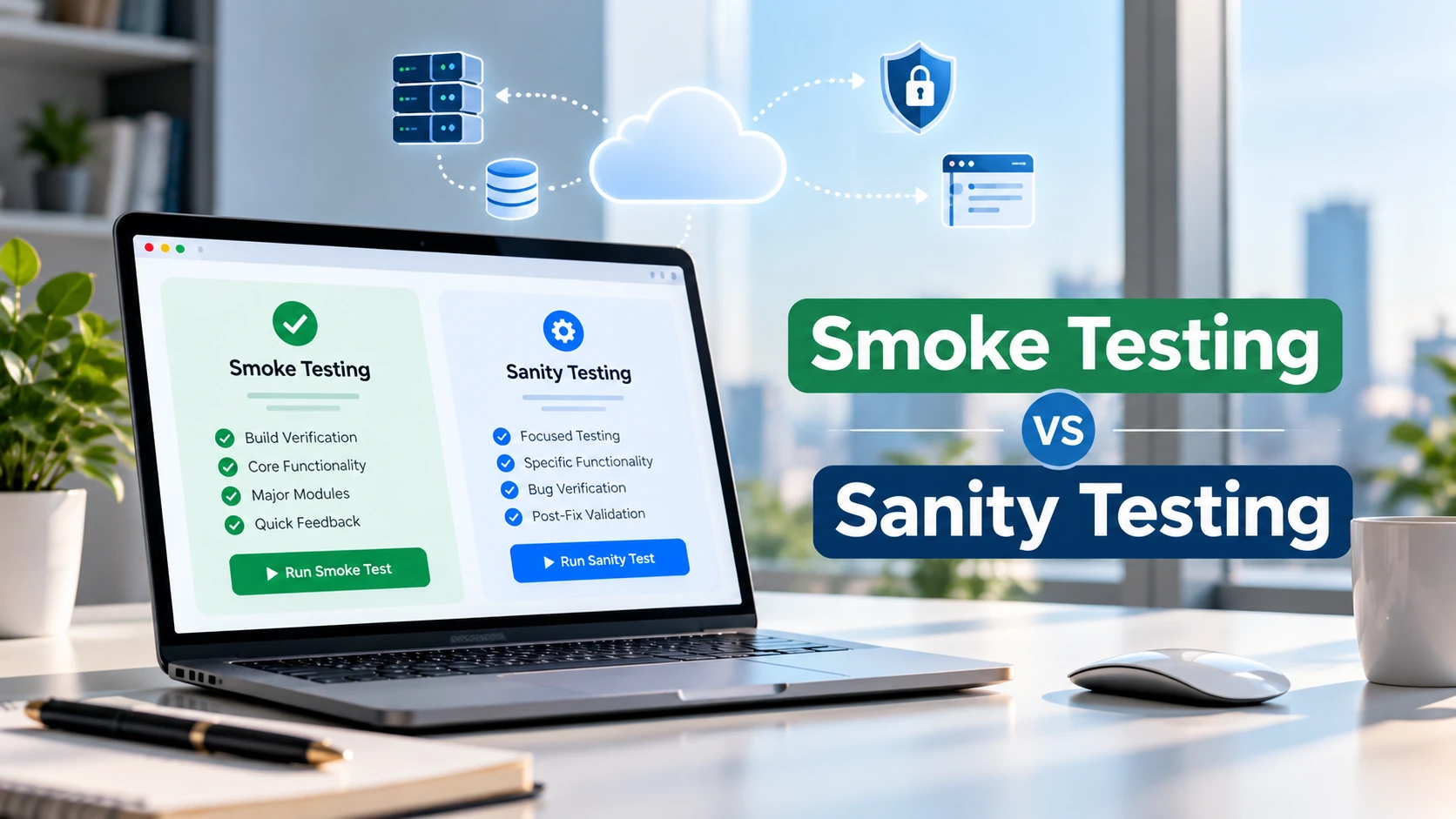
A new software build is ready for testing, but should the QA team check the entire application’s critical features or focus on a recently fixed issue? The answer depends on whether the team needs smoke testing or sanity testing.
Understanding smoke testing vs sanity testing helps testers choose appropriate checks, identify serious problems earlier, and avoid spending time on builds that are not ready for deeper testing.
Smoke testing checks whether an application’s essential functionality works well enough to continue testing. Sanity testing focuses on a particular change or bug fix to determine whether the affected functionality behaves as expected.
Although both approaches involve quick validation, they have different objectives and scopes.
This guide explains the differences using practical e-commerce examples, sample test cases, decision scenarios, and QA checklists.
What Is Smoke Testing in Software Testing?
Smoke testing is a preliminary testing activity used to determine whether a software build’s most important functions work well enough for further testing.
It is sometimes called build verification testing.
Instead of examining every possible scenario, testers select a small group of checks covering the application’s essential workflows.
For example, after deploying a new build of an online shopping application, a tester might verify that:
- The website loads successfully.
- An existing customer can log in.
- Products appear in the catalog.
- A product can be added to the cart.
- The checkout flow can reach its expected completion state using approved test data.
These checks provide an initial indication of whether the application is sufficiently functional for more detailed testing.
A successful smoke test does not mean the application is defect-free. It only means the selected critical checks passed.
What Is the Main Purpose of Smoke Testing?
The main purpose is to identify major problems before the team invests time in more extensive testing.
Imagine that a new build has been deployed, but the login feature is completely broken.
If login is required for most planned tests, continuing with detailed testing may produce misleading failures or waste time.
A failed smoke test helps the team identify the problem and decide whether to block further testing until the issue is resolved.
The appropriate response depends on the severity of the failure and the team’s release criteria.
When Is Smoke Testing Performed?
Smoke testing is commonly performed after deploying a new build to a testing environment.
It may also be used as a post-deployment health check in staging or production, using safe and approved test operations.
In a continuous integration and delivery process, teams may automate selected smoke checks so that important failures are detected quickly.
The exact timing depends on the project’s development and release workflow.
What Is Sanity Testing in Software Testing?
Sanity testing is a focused testing activity used to validate a particular change, enhancement, or bug fix.
Its purpose is to confirm that the changed functionality behaves as expected and that closely related behavior has not been obviously affected.
For example, suppose an e-commerce application’s discount code feature incorrectly calculates the final checkout price.
A developer fixes the issue.
Instead of immediately testing every feature in the application, the QA engineer can perform a targeted sanity check covering:
- Application of a valid discount code.
- Rejection of an invalid discount code.
- Correct calculation of the updated order total.
- Removal of the discount code.
- Relevant interactions between discounts and the checkout total.
These checks focus on the changed area and its immediate dependencies.
BrowserStack’s sanity testing guidance similarly describes sanity testing as focused validation after software changes or bug fixes.
What Is the Main Purpose of Sanity Testing?
Sanity testing provides quick feedback about a specific change before the team proceeds with other planned activities.
It helps answer questions such as:
- Has the reported defect been corrected?
- Does the updated feature satisfy its relevant requirements?
- Do closely connected functions still behave correctly?
- Is further investigation necessary?
Sanity testing should not replace comprehensive regression testing when a change has wider implications.
When Is Sanity Testing Performed?
Sanity testing is commonly used after a targeted fix or limited change has been delivered.
For example, if a developer updates password-reset validation, a tester may check the corrected validation behavior and relevant connected flows.
It is particularly useful when the change has a clearly defined scope.
However, some organizations use the terms smoke testing and sanity testing differently. Teams should agree on their definitions rather than assuming everyone follows exactly the same convention.
Smoke Testing vs Sanity Testing: Key Differences
The primary difference between smoke testing and sanity testing is their objective.
Smoke testing asks whether the overall build is ready for further testing. Sanity testing asks whether a specific change works as expected.
| Comparison | Smoke Testing | Sanity Testing |
| Primary purpose | Assess build readiness | Validate a particular change |
| Scope | Broad coverage of critical workflows | Narrow coverage of affected functionality |
| Typical trigger | New build or deployment | Bug fix or targeted enhancement |
| Main question | Can further testing proceed? | Does the change work correctly? |
| Test selection | Stable set of essential checks | Checks selected for the specific change |
| Automation | Often suitable for automation | Can be manual or automated |
| Failure response | May block broader testing | May return the change for correction |
| Typical depth | Shallow across critical areas | More focused within a limited area |
| Relation to regression testing | May precede detailed regression testing | May include targeted regression checks |
These distinctions describe common industry practice, not mandatory rules for every organization.
For additional context, BrowserStack’s smoke and sanity testing comparison explains how the methods differ in scope, purpose, and release decisions.
The Simplest Way to Remember the Difference
Think of smoke testing as checking whether a newly delivered application is basically usable.
Think of sanity testing as checking whether an identified change has produced the expected result.
Neither method provides complete assurance of software quality.
Smoke Testing vs Sanity Testing: Practical E-Commerce Example
Consider a fictional online store that supports customer login, product search, shopping carts, discounts, and checkout.
The following examples show how a QA engineer might apply each method.
Scenario 1: Smoke Testing a New Build
A development team deploys a new version of the application to staging.
Before detailed testing begins, the QA engineer runs essential checks.
| Test ID | Smoke test | Expected result |
| SMK-01 | Open the store homepage | Homepage loads successfully |
| SMK-02 | Log in with an active test account | User reaches the authenticated area |
| SMK-03 | Open a product detail page | Product information appears correctly |
| SMK-04 | Add an available product to the cart | Product appears in the cart |
| SMK-05 | Complete a test checkout using an approved test payment method | Test order is created successfully |
These expected results assume the fictional application’s requirements support those behaviors.
Possible outcome: If the application cannot load product pages, the build may fail the smoke test because an essential shopping workflow is unavailable.
The QA team records the failure and follows the project’s build-rejection or defect-handling process.
If all selected smoke checks pass, broader functional or regression testing may begin.
Scenario 2: Sanity Testing a Discount Bug Fix
Now consider a different situation.
A customer reported that applying a discount code produced an incorrect order total.
A developer updates the discount calculation logic and delivers the fix.
The QA engineer performs focused checks.
| Test ID | Sanity test | Expected result |
| SAN-01 | Apply an eligible discount code | The specified discount is applied |
| SAN-02 | Enter an invalid discount code | The code is rejected according to requirements |
| SAN-03 | Remove an applied discount | The total returns to the appropriate amount |
| SAN-04 | Change cart quantity while a discount is active | The total updates according to the discount rules |
| SAN-05 | Continue to checkout | The displayed order total remains consistent |
The test data, discount eligibility rules, rounding requirements, and expected calculations must come from the actual product specification.
A tester should never assume that a discount is valid or that multiple discounts can be combined unless the requirements allow it.
Possible outcome: The original discount issue is fixed, but changing cart quantity now produces an incorrect total.
The targeted testing reveals a related defect, so the change needs further investigation.
This is a sanity testing problem rather than evidence that every application workflow has failed.
What These Examples Demonstrate
The smoke test checks several critical features to assess the readiness of a delivered build.
The sanity test checks a specific change and the closely connected functions that could be affected.
Both use test cases, but they select those cases for different reasons.
For guidance on documenting test steps and measurable expected results, CareerTechGuide’s test case writing guide explains how to create repeatable test cases.
When Should You Perform Smoke Testing or Sanity Testing?
The correct choice depends on what changed and what the team needs to verify.
| Situation | Recommended approach | Reason |
| A new application build reaches QA | Smoke testing | Check critical functionality before detailed testing |
| A login validation defect is fixed | Sanity testing | Verify the corrected behavior and directly related functionality |
| A major application update is deployed | Smoke testing followed by appropriate deeper testing | Check build readiness, then investigate wider risks |
| A small checkout calculation fix is delivered | Targeted sanity testing | Validate the change and connected calculations |
| A production deployment needs initial health checks | Safe post-deployment smoke checks | Confirm essential services and user paths remain available |
| A database schema change affects multiple modules | Smoke checks plus risk-based regression testing | A narrow sanity check may not provide enough coverage |
Can Both Tests Be Performed on the Same Build?
Yes.
For example, a team may deploy a new build containing a targeted bug fix.
The team might first run smoke tests to confirm that the build’s essential workflows are functioning.
Then the tester can perform sanity checks on the corrected feature.
This sequence is common, but not every project needs separate suites for every change.
The relevant risk, release process, and existing automated checks should determine the actual approach.
Smoke Testing Checklist for QA Engineers
A smoke testing checklist should cover the smallest meaningful set of business-critical paths.
Before execution, confirm that the testing environment and required test data are available.
For a typical web application, the checklist might include:
- ☐ Application opens without a blocking error.
- ☐ A valid test user can authenticate.
- ☐ Main navigation routes load.
- ☐ One critical business workflow completes.
- ☐ Essential integrations respond as expected.
- ☐ No blocking failure prevents the next testing stage.
- ☐ Results and relevant build information are recorded.
Not every product needs the same smoke suite. A banking application, online learning platform, and e-commerce website have different critical workflows.
How to Report a Failed Smoke Test
When a smoke check fails, provide enough evidence for the team to reproduce and understand the problem.
Record the build identifier, testing environment, failed workflow, observed behavior, expected behavior, and relevant evidence.
CareerTechGuide’s guide on writing bug reports developers can reproduce explains how to describe defects without relying on vague statements such as “the application is broken.”
Sanity Testing Checklist After a Bug Fix
A sanity checklist should be based on the actual change and its potential impact.
Before testing, review the defect report, acceptance criteria, and developer’s change summary when available.
Then:
- ☐ Reproduce or understand the original defect.
- ☐ Confirm which build contains the correction.
- ☐ Retest the previously failing behavior.
- ☐ Verify relevant positive and negative conditions.
- ☐ Check directly related features that may be affected.
- ☐ Compare results with documented requirements.
- ☐ Record whether the fix passed or failed.
- ☐ Identify any additional regression testing needed.
Avoid creating an unnecessarily broad checklist for every minor change.
The purpose is focused confidence in the changed area, not pretending that a few checks can validate the entire application.
Can Smoke Testing and Sanity Testing Be Automated?
Both approaches can be automated, but their automation priorities often differ.
Smoke tests are frequently good automation candidates because core workflows are repeated across builds.
For example, an automated test might launch the application, authenticate with a test account, open a key page, and verify that the expected content appears.
Tools such as Selenium and other test automation frameworks can support these workflows.
If you want to understand browser automation fundamentals, CareerTechGuide’s Selenium WebDriver tutorial provides a related starting point.
Sanity checks can also be automated when the expected behavior is stable and the test is worth repeating.
However, their scope often changes depending on the fix, so some targeted checks may be faster to execute manually.
Should Every Smoke Test Be Automated?
No.
Automation should be based on test stability, execution frequency, maintenance effort, and the value of rapid feedback.
An unstable automated smoke suite can create false alarms and reduce confidence in deployment results.
Similarly, automated tests should verify meaningful outcomes, not merely that buttons can be clicked without errors.
Smoke Testing vs Sanity Testing vs Regression Testing
Regression testing evaluates whether changes have introduced unwanted effects into previously working functionality.
It can cover a much broader range of behaviors than a focused sanity check.
| Testing approach | Main objective | Typical scope |
| Smoke testing | Determine whether a build is ready for further testing | Selected critical workflows |
| Sanity testing | Validate a specific fix or change | Changed functionality and closely related behavior |
| Regression testing | Detect unintended effects of software changes | Risk-based selection of previously working functionality |
For example, after changing a discount calculation:
A sanity check may examine valid discounts, invalid discounts, cart updates, and final totals.
A wider regression suite may also verify shipping calculations, taxes, payment processing, order records, and other workflows that could be affected.
The appropriate scope depends on the implementation and risk.
Sanity testing may involve targeted regression checks, but the two terms should not automatically be treated as identical.
Common Smoke and Sanity Testing Mistakes
1. Treating Both Methods as Identical
Both are quick checks, but they answer different questions.
Clarify the purpose before selecting test cases.
2. Calling a Full Regression Suite a Smoke Test
A smoke suite should focus on essential functionality.
If a test suite takes a long time and examines many detailed edge cases, it may no longer serve as a useful initial readiness check.
3. Assuming a Passed Smoke Test Means the Product Is Bug-Free
Smoke testing validates only its selected checks.
It does not establish complete functional, security, performance, or compatibility coverage.
4. Ignoring Related Functionality During Sanity Testing
A bug fix can affect nearby functionality.
Focus on the changed behavior, but consider its dependencies and plausible side effects.
5. Using Unclear Expected Results
A statement such as “checkout works” is not a sufficient test expectation.
Define an observable result based on the application’s actual requirements.
6. Skipping Failure Documentation
Even quick testing should produce enough evidence to support a testing or release decision.
The necessary documentation may be brief, but important failures should remain traceable.
Frequently Asked Questions
What Is the Main Difference Between Smoke Testing and Sanity Testing?
Smoke testing checks whether a software build’s critical functions work well enough for further testing. Sanity testing focuses on validating a particular change or bug fix and its closely related behavior.
Which Comes First, Smoke Testing or Sanity Testing?
When a team performs both on a newly delivered build, smoke testing commonly comes first to establish basic build readiness. Sanity testing may follow to validate a targeted change. The order and terminology can vary by project.
Is Sanity Testing a Type of Regression Testing?
Sanity testing may include targeted regression checks, and it is often described as a narrow form of regression testing. However, organizations may define and use these terms differently.
Can Smoke Testing Be Performed Manually?
Yes. Smoke testing can be manual or automated. Automation is useful for frequent, repeatable critical checks, but it is not a requirement for the activity to qualify as smoke testing.
Is Sanity Testing Always Unscripted?
No. Sanity testing is often lightweight, but teams can use predefined test cases or automated checks when useful. Its defining characteristic is the focused validation objective, not the absence of documentation.
Can Smoke and Sanity Testing Replace Regression Testing?
No. They provide limited feedback about build readiness or a particular change. Broader regression testing may still be necessary when the risk of unintended effects extends beyond those checks.
Final Thoughts
Understanding smoke testing vs sanity testing helps QA engineers choose a testing approach based on the question they need to answer.
Use smoke testing to assess whether the essential functions of a build are working. Use sanity testing to validate a specific change and the directly related functionality that may be affected.
Neither technique guarantees that software is defect-free. Effective QA also depends on clear requirements, risk-based test selection, accurate defect reporting, and appropriate deeper testing.
Before your next testing cycle, identify the build’s critical workflows and the specific areas changed. That distinction can help you decide which checks are necessary and what should happen when a test fails.
