
Android app development can look complicated when you are starting from zero. A beginner has to learn a programming language, understand Android Studio, build user interfaces, manage data, test features, and eventually prepare an app for release. Trying to learn all of these at once usually creates confusion.
Android app development for beginners becomes more manageable when the skills are learned in a practical order. Start with Kotlin fundamentals, use Android Studio to build small apps, learn Jetpack Compose for modern interfaces, and then add navigation, APIs, storage, testing, and architecture as your projects become more complex.
This guide gives you an evergreen learning path from the first setup to portfolio projects and Google Play publishing. The goal is not to memorize every Android API. It is to build enough understanding to create, debug, explain, and improve working applications.
What Is Android App Development?
Android app development is the process of creating applications for devices that run Android. These include phones and tablets as well as other Android-supported form factors. Developers combine application logic, user-interface code, data handling, device capabilities, testing, and release configuration to turn an idea into a usable app.
Modern native Android development commonly uses Kotlin as the programming language and Jetpack Compose as the modern UI toolkit. Google’s beginner learning resources teach Kotlin and Compose together, which makes them a practical starting point for new native Android developers.
Why Learn Android Development?
Learning Android development gives beginners a direct way to turn programming concepts into products they can install and test. Instead of practicing only isolated syntax exercises, you can build a notes app, expense tracker, weather app, or another project with screens, data, navigation, and real user interactions.
It can also lead toward roles such as Junior Android Developer, Kotlin Developer, or Mobile Application Developer. A course certificate alone is not strong evidence of development ability, however. A better learning goal is to create projects that you can run, debug, document, and explain.
If you are still comparing development with other technology paths, use the tech career roadmap to compare the type of work and portfolio evidence expected across different roles.
What Do You Need Before You Start?
You do not need advanced computer science knowledge before beginning. Basic computer skills and a willingness to troubleshoot are enough to start, although simple programming concepts will make progress easier.
Hardware and Software
| Requirement | Why You Need It |
| Computer capable of running Android Studio | Used for coding, building, emulation, and debugging. |
| Android Studio | Official IDE and the easiest starting environment for native Android development. |
| Android Emulator | Lets you test apps without owning multiple physical devices. |
| Android phone (optional) | Useful for real-device testing, but not required to begin. |
| Git/GitHub (learn soon after basics) | Helps you track code changes and present portfolio projects. |
Programming Knowledge
Before building larger apps, understand variables, data types, conditions, loops, functions, collections, classes, and null safety. Do not wait until you have mastered the entire Kotlin language. Learn a concept, use it in a small exercise, and return to the language when a project exposes a gap.
Kotlin vs Java: Which Should Beginners Learn?
For a new native Android learning path, Kotlin is the stronger first choice. Android’s current beginner materials use Kotlin, and Jetpack Compose is built around Kotlin. Java remains relevant because many existing Android codebases contain Java, so it can become useful later when you maintain older applications or work in mixed-language projects.
| Factor | Kotlin | Java |
| Best use for a beginner | Modern native Android projects | Understanding or maintaining older codebases |
| Code style | Generally concise and expressive | Generally more verbose |
| Jetpack Compose | Native fit | Compose UI code is written in Kotlin |
| When to learn | First | Later if your projects or jobs require it |
Set Up Android Studio and Your Development Environment
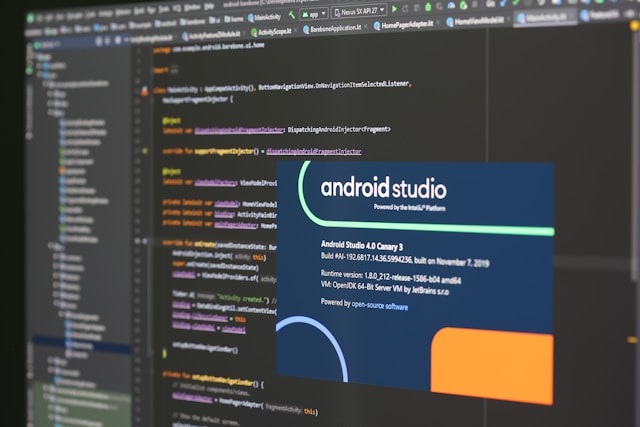
Install Android Studio and let the setup process install the Android SDK and required tools. Android Studio provides the editor, project templates, build integration, emulator controls, debugging tools, and Compose previews used throughout the development workflow.
For a first project, a modern Compose template such as Empty Activity is a sensible choice. Keep the initial project simple. Your first objective is to understand where the main code lives, how the app builds, and how to run it—not to configure every available option.
Build Your First Android App
A first working app is more useful than several hours of passive tutorials because it exposes the complete development loop: create, run, observe, change, break, debug, and run again.
1. Create a Simple Project
Create a new project in Android Studio and follow the official first-app guidance. Give the project a simple name and avoid adding databases, authentication, or networking to the first exercise.
2. Build One Small Screen
Use text, a button, and a small piece of state—for example, a counter that increases when the button is tapped. This teaches the relationship between UI code, state, and user interaction without hiding the basics behind a large project.
3. Run and Debug It
Run the app in the emulator. Change a label or behavior and run it again. Then deliberately introduce a small error and read the build message before fixing it. Debugging is not a separate skill to postpone; it should be part of the learning process from the first project.
Core Android Concepts Beginners Should Learn
Jetpack Compose and State
Jetpack Compose is Android’s modern toolkit for building native interfaces with Kotlin. Learn composable functions, layouts, modifiers, state, lists, forms, and basic Material components before chasing advanced animations or custom drawing.
Activities, Lifecycle, and Navigation
Understand what an Activity represents and learn the basic lifecycle well enough to know that screens and app state can be recreated. Then learn navigation between destinations and how to pass only the data that a destination needs.
ViewModel and UI State
As projects grow, avoid putting every piece of logic directly inside UI code. Learn how a ViewModel can hold screen-related state and how the UI can react to that state. The purpose is maintainability and testability, not adding architecture for its own sake.
Local Data, APIs, and JSON
After static apps feel comfortable, learn to store local data and consume a REST API. Practice loading JSON, mapping it to Kotlin models, showing loading and error states, and handling network failures. These skills turn a demo interface into a more realistic application.
Testing and App Quality
Test important logic and user flows instead of treating testing as the final step before release. Google’s Android guidance emphasizes app quality, stability, privacy, and behavior across devices. If you want to explore testing as a separate career path, CareerTechGuide also has a software testing career guide.
Android App Development for Beginners: Complete Roadmap
Use this roadmap as a sequence, not a rigid calendar. Move forward when you can complete a small task without copying every line from a tutorial.
Stage 1 — Kotlin Fundamentals
Learn variables, functions, conditions, collections, classes, null safety, and basic object-oriented concepts. Outcome: small Kotlin exercises you can explain.
Stage 2 — Android Studio and Compose
Create projects, understand the main files, use the emulator, and build simple Compose layouts. Outcome: a small interactive app.
Stage 3 — Navigation and State
Create multiple screens, manage UI state, and introduce ViewModel where appropriate. Outcome: a multi-screen app with predictable state.
Stage 4 — Data and Networking
Learn JSON, REST APIs, local persistence, asynchronous work, loading states, and error handling. Outcome: an app that reads or stores real data.
Stage 5 — Architecture, Testing, and Git
Organize code into understandable layers, write useful tests, use version control, and document decisions. Outcome: a project another developer can review.
Stage 6 — Portfolio and Publishing
Polish one or two projects, test them, prepare release builds, document limitations, and learn the Google Play workflow. Outcome: credible portfolio evidence rather than unfinished tutorial clones.
A Practical 12-Week Example Learning Plan
The timeline below is an example, not a promise. Adjust it to your previous programming experience and available study time.
| Weeks | Focus | Practical Outcome |
| 1–2 | Kotlin fundamentals | Small console exercises and functions |
| 3–4 | Android Studio + Compose | One interactive single-screen app |
| 5–6 | Navigation + state | Multi-screen app |
| 7–8 | APIs + JSON | App that loads external data |
| 9–10 | Storage + architecture | Structured app with persistent data |
| 11–12 | Testing + portfolio polish | Documented project you can demonstrate |
Best Android Projects for Beginners
Choose projects that introduce one or two new problems at a time. A smaller finished app that you understand is stronger portfolio evidence than a large copied application.
| Project | What It Helps You Practice |
| Calculator or counter | Kotlin logic, state, buttons, and basic Compose UI |
| Notes app | Forms, lists, local persistence, editing, and deletion |
| Weather app | REST APIs, JSON, loading/error states, and network handling |
| Expense tracker | Data models, storage, validation, summaries, and UI state |
| Simple shopping catalog | Navigation, lists, API data, detail screens, and reusable components |
For each portfolio project, include a short README explaining the problem, features, tools used, setup steps, screenshots, known limitations, and what you would improve next. Do not present tutorial code or hypothetical work as paid client experience.
How to Publish an Android App on Google Play
Publishing is a separate skill from building a debug version. Before release, verify the app’s functionality, stability, privacy behavior, and store requirements. Prepare a release build, test it, create the required store listing assets and information, and follow the current Play Console submission process.
Because publishing requirements can change, use the current Android release guidance and Google Play distribution documentation instead of relying on an old tutorial for policy-sensitive steps.
Common Mistakes Beginners Should Avoid
- Watching tutorials without rebuilding the feature independently.
- Copying complete projects without understanding the data flow or errors.
- Trying to learn every Android library before finishing a small app.
- Ignoring debugging, testing, Git, and documentation.
- Building only attractive screens without complete user flows or data handling.
- Adding complex architecture to tiny projects without understanding the problem it solves.
A useful rule is to make each learning cycle produce something observable: a working feature, a fixed bug, a test, a documented decision, or a finished project.
Android Developer Career Preparation
When you can build small apps independently, compare your skills with real junior Android job descriptions in the market where you plan to apply. Requirements vary, so do not assume every employer expects the same stack.
Before applying, check whether you can:
- Build and explain a multi-screen Kotlin/Compose app.
- Consume an API and handle JSON, loading, and errors.
- Store and retrieve local data.
- Use Git for normal project history.
- Debug build and runtime problems.
- Explain basic state management and architecture decisions.
- Write useful tests for important logic or flows.
- Create and test a release build.
- Show at least one finished project with clear documentation.
Frequently Asked Questions
Is Android app development hard for beginners?
The first weeks can feel difficult because several new concepts appear together. A staged roadmap reduces that complexity: learn basic Kotlin, build a small Compose screen, then add navigation, data, and architecture only when the project needs them.
Should I learn Kotlin or Java first?
For new native Android development, start with Kotlin. Learn Java later if a job, legacy project, or existing codebase requires it.
Do I need a degree to become an Android developer?
Not every role has the same education requirements. Some employers require or prefer a degree, while others place more weight on practical skills and project evidence. Check real vacancies in your target market.
Do I need an Android phone to start?
No. Android Studio includes an emulator, so you can begin without a physical phone. Real-device testing becomes useful as your apps grow and you need to observe device-specific behavior.
Is Jetpack Compose enough for a beginner?
Compose is an appropriate modern starting point for UI development, but an Android developer also needs Kotlin, app lifecycle basics, navigation, state, data handling, debugging, testing, and release knowledge.
How long does it take to learn Android development?
There is no reliable universal timeline. Previous programming experience, study time, project difficulty, and the level expected by employers all affect progress. Judge readiness by what you can build and explain independently rather than by a fixed number of weeks.
Final Thoughts
Android app development for beginners is easier to approach when the learning path stays practical. Start with Kotlin, use Android Studio and Jetpack Compose to build small working apps, and then add navigation, APIs, storage, architecture, testing, and publishing as your skills grow.
Do not measure progress by the number of tutorials completed. Measure it by the problems you can solve without copying, the projects you can finish, and the technical decisions you can explain.
