
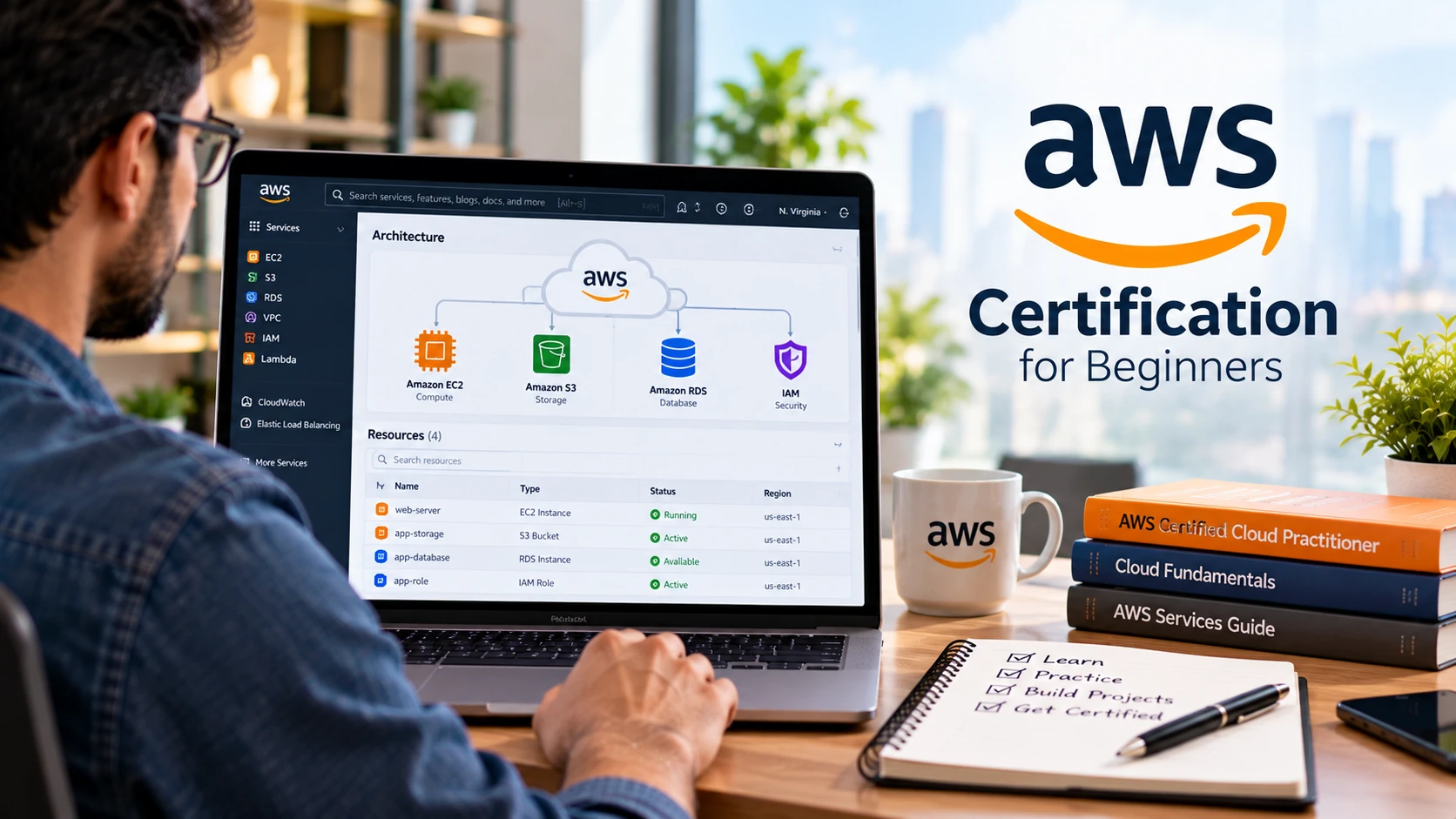
AWS certification for beginners can provide a structured way to learn cloud concepts and validate AWS knowledge, but a certification is not a guarantee of a cloud job or a specific salary. The useful question is not simply “Which AWS exam is easiest?” It is which credential matches your current experience and the work you want to do.
This guide explains the beginner AWS certification path, the current AWS Certified Cloud Practitioner exam, Associate-level options, preparation resources, hands-on practice, exam-day planning, and what to do after passing.
What Is an AWS Certification?
AWS Certification is Amazon Web Services’ credential program for validating cloud and AI knowledge and skills through proctored assessments. AWS currently organizes certifications across multiple categories and role or subject areas.
Certification can help you structure study and demonstrate that you passed a defined assessment. It does not replace practical experience. For technical roles, combine exam preparation with hands-on work that you can explain and troubleshoot.
Is AWS Certification Worth It for Beginners?
AWS certification for beginners can be useful when you want a structured introduction to cloud concepts and your target roles involve AWS technologies. It can be useful when AWS appears in your target job descriptions, your current role uses AWS, or you want a structured introduction to cloud concepts. Avoid blanket claims that certification automatically increases salary or that demand for certified professionals is always rising; compensation and hiring vary by role, location, experience, and market conditions.
AWS Certified Cloud Practitioner is explicitly positioned by AWS as a foundational starting point for people with no prior IT or cloud experience, as well as business professionals who need cloud literacy. Technical learners with existing IT experience may choose to move directly toward a role-aligned Associate certification after reviewing its scope.
AWS Certification for Beginners: Which Certification Should You Choose?
| Certification | Best Fit | What It Validates |
| AWS Certified Cloud Practitioner (CLF-C02) | New to cloud or needing AWS fundamentals | High-level AWS Cloud, services, security, pricing, and terminology |
| AWS Certified Solutions Architect – Associate (SAA-C03) | Architecture-focused learners | Designing AWS solutions using Well-Architected principles |
| AWS Certified Developer – Associate | Developers using AWS | Developing, testing, deploying, and debugging AWS cloud applications |
| AWS Certified CloudOps Engineer – Associate (SOA-C03) | Operations-focused learners | Deploying, managing, monitoring, and operating AWS workloads |
Important: certification names and exam versions change. For example, the operations credential is now AWS Certified CloudOps Engineer – Associate rather than the older SysOps Administrator naming. AWS also announced an updated Developer Associate exam version opening for registration in late October 2026, so always check the live exam page before scheduling.
AWS Certified Cloud Practitioner: Current Exam Overview
For a complete beginner, Cloud Practitioner is the clearest foundational option. AWS currently lists the CLF-C02 exam with:
- Category: Foundational
- Exam duration: 90 minutes
- Exam format: 65 multiple-choice or multiple-response questions
- Exam price: USD 100, with local pricing/taxes where applicable
- Delivery: Pearson VUE testing center or online-proctored exam
AWS exam details can change, so treat the official exam page—not an old blog post—as the source of truth before booking.
Cloud Practitioner CLF-C02 Exam Domains
| Domain | Current Weight |
| Cloud Concepts | 24% |
| Security and Compliance | 30% |
| Cloud Technology and Services | 34% |
| Billing, Pricing, and Support | 12% |
These weights replace older figures that still appear in some tutorials. Use the current CLF-C02 exam guide when deciding how much study time to allocate.
What to Learn for Each Cloud Practitioner Domain
1. Cloud Concepts
Understand why organizations use cloud computing, common cloud benefits, basic migration concepts, cloud economics, elasticity, scalability, availability, and relevant AWS design principles. Focus on understanding tradeoffs rather than memorizing slogans.
2. Security and Compliance
Learn the AWS shared responsibility model, identity and access concepts, security and compliance resources, governance basics, and how responsibilities differ between AWS and the customer. Know why least privilege, MFA, and secure credential handling matter.
3. Cloud Technology and Services
Learn the purpose—not every configuration option—of core compute, storage, database, networking, serverless, management, analytics, and AI/ML service categories. Understand Regions and Availability Zones and be able to select a reasonable service category for a simple scenario.
4. Billing, Pricing, and Support
Understand major pricing models, cost-management and budgeting resources, AWS Pricing Calculator, support resources, and support-plan concepts. This domain is smaller by weighting but should not be ignored.
How to Prepare for AWS Cloud Practitioner
A practical AWS certification for beginners study plan should combine the official exam guide, structured learning resources, hands-on cloud practice, and scenario-based questions.
Step 1: Download the Current Exam Guide
Start with the official CLF-C02 exam guide. Turn each domain and task statement into a checklist. This prevents a course instructor’s emphasis from becoming your entire study plan.
Step 2: Use AWS Skill Builder and Official Exam Prep
AWS Skill Builder provides AWS-created digital learning and exam-preparation resources. Use the current Cloud Practitioner learning plan and official practice material available to your account.
Third-party courses can be useful, but instructors, pricing, and course freshness change. Compare any course against the current AWS exam guide before relying on it.
Step 3: Build Hands-On Familiarity
Cloud Practitioner is foundational, but hands-on exploration helps concepts stick. Practice navigating IAM, EC2, S3, databases, Lambda, VPC concepts, monitoring, and billing tools at an introductory level.
Do not follow the outdated claim that every new account simply gets ‘100+ services free for 12 months.’ AWS changed its Free Tier for new customers in July 2025. New customers can receive up to $200 in credits and choose a free account plan that lasts up to six months or until credits are depleted, with additional offer details and service-specific free usage.
Review the live AWS Free Tier terms before creating resources. Set budgets/alerts where available, delete resources you no longer need, and understand that AWS usage can incur charges.
Step 4: Practice Scenario-Based Questions
Use legitimate official practice questions and reputable original practice material to learn the style of selecting the best answer for a scenario. Avoid unauthorized exam dumps or recalled live exam questions. Memorizing leaked questions undermines the purpose of certification and can violate certification rules.
Step 5: Review Weak Areas, Not Just Scores
A mock-exam percentage is useful only if you understand why answers are right or wrong. Review every missed concept, return to the official documentation, and explain the decision in your own words.
A Flexible 4-Week Study Plan
Four weeks can be a useful example schedule, but it is not a promise that every beginner will be ready in four to six weeks.
| Week | Focus | Practical Output |
| 1 | Cloud concepts + AWS global infrastructure | Explain Regions, AZs, elasticity, availability, and cloud economics |
| 2 | Security + identity + shared responsibility | Review IAM concepts and security scenarios |
| 3 | Core service categories + hands-on exploration | Map common use cases to compute, storage, database, network, and serverless services |
| 4 | Pricing/support + full review + practice | Review weak domains and complete timed practice |
If you cannot explain the concepts or consistently reason through unfamiliar scenarios, extend the plan. Readiness matters more than hitting an arbitrary calendar date.
Hands-On AWS Practice Without Unnecessary Risk
- Secure the root account and use appropriate identity practices.
- Explore IAM concepts without creating broad permissions you do not understand.
- Create a small S3 exercise and learn access settings before making anything public.
- Explore an EC2 or serverless example while monitoring cost implications.
- Review CloudWatch or other monitoring concepts relevant to your exercise.
- Open billing and cost-management tools so you know where usage appears.
- Delete temporary resources after practice and confirm related billable resources are also removed.
Hands-on practice should build understanding, not a surprise bill. Always check current pricing and Free Tier eligibility for the specific service and region you use.
Exam Day Tips
- Confirm identification, system, workspace, and check-in requirements before exam day.
- For online testing, run Pearson VUE’s required system checks in advance.
- Read the entire scenario and identify what the question is optimizing for—security, cost, resilience, performance, or operational effort.
- Eliminate clearly incompatible options before comparing the remaining answers.
- Use the exam interface’s review/flag features where helpful.
- Do not use unauthorized notes, AI tools, exam dumps, or other prohibited assistance.
AWS currently offers online proctoring for all AWS Certification exams through Pearson VUE, as well as testing-center appointments. Availability and proctoring languages can vary.
What Happens After You Pass?
A certification is most useful when paired with evidence that you can work with the technology. After Cloud Practitioner, decide whether you actually need another certification or whether a project is the better next step. Completing an AWS certification for beginners should be followed by practical projects and role-specific skills so the certification is supported by evidence of hands-on ability.
- Build a small AWS project and document the architecture, security choices, cost considerations, and cleanup process.
- Read job descriptions in your target market and identify the AWS services they repeatedly require.
- Choose a role-aligned Associate certification only when it supports your goal.
- Continue learning Linux, networking, Git, scripting/programming, databases, security, and infrastructure concepts relevant to your role.
If you want to move from AWS certification into a broader cloud and infrastructure role, our DevOps career guide explains the skills, tools, projects, and learning path commonly associated with DevOps work.
How Long Does AWS Certification Last?
AWS certifications are generally valid for three years, but renewal and maintenance options now vary by certification. Current AWS recertification information includes exam-based renewal, higher-level certification paths for some credentials, Cloud Practitioner’s Cloud Quest recertification option, and maintenance options through AWS Skill Builder for eligible certifications.
Because AWS expanded its recertification options in 2026, the old wording ‘it never expires; it renews every three years’ is inaccurate. Check the official recertification table for your exact credential as its expiration approaches.
Common AWS Certification Beginner Mistakes
- Choosing an exam because it is popular rather than because it matches a career goal.
- Using an old exam-domain breakdown or retired certification name.
- Memorizing service names without understanding when they are used.
- Skipping hands-on practice entirely.
- Assuming Free Tier means every resource is free.
- Using exam dumps instead of legitimate practice material.
- Treating certification as proof of production experience.
- Booking the exam because a fixed four-week schedule ended rather than because practice shows real understanding.
Frequently Asked Questions
Which AWS certification is best for a complete beginner?
AWS positions Certified Cloud Practitioner as a foundational starting point for people with no prior IT or cloud experience. Learners who already have relevant technical experience may instead choose a role-aligned Associate path after reviewing its exam guide.
Do I need Cloud Practitioner before Solutions Architect Associate?
AWS does not present Cloud Practitioner as a universal prerequisite for Associate exams. Choose based on your existing knowledge and target role.
How much does the Cloud Practitioner exam cost?
AWS currently lists the exam at USD 100, with applicable local pricing, exchange rates, or taxes. Verify the current price before scheduling.
How many questions are on CLF-C02?
AWS currently lists 65 multiple-choice or multiple-response questions in a 90-minute exam.
Can I take an AWS certification exam from home?
Yes. AWS currently offers online-proctored certification exams through Pearson VUE, subject to testing requirements and appointment availability.
Can I pass in four weeks?
Some learners may be ready after a focused four-week plan; others need longer. Prior IT knowledge, study time, hands-on experience, and practice performance all affect readiness.
Will an AWS certification get me a cloud job?
A credential can support a job application, but employers may also assess networking, Linux, security, scripting, databases, architecture, troubleshooting, and hands-on cloud experience depending on the role.
Final Thoughts
For beginners, AWS Certified Cloud Practitioner can provide a structured introduction to cloud terminology, security, services, pricing, and support. Use the current exam guide, practice in AWS carefully, and evaluate readiness by understanding—not by memorizing a fixed number of mock questions.
After certification, turn knowledge into evidence through small projects and role-specific skills. Certification can validate a defined body of AWS knowledge; practical ability is what helps you use that knowledge in real work.
